
Quick Guide
- Pave every tile cars need to cross; they do not drive off-road.
- Point bays into an accessible aisle using the side without yellow markings.
- Finish the needs and fee tasks until Wheelie offers Return to main menu.
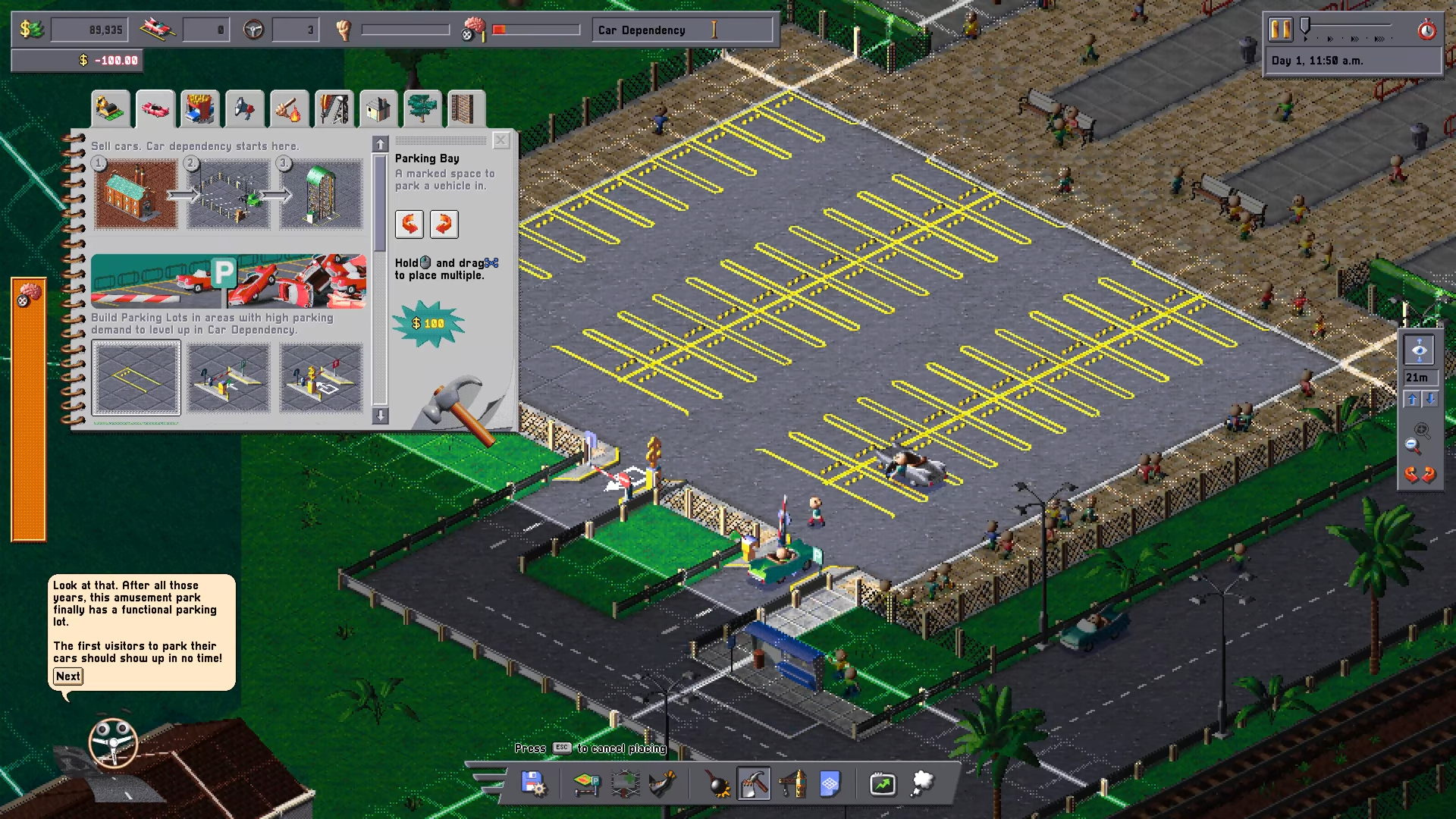
Zoidelle, 04:27. Native 1920×1080 gameplay frame; tutorial footage, exact build unknown.
Zoidelle · Source / open if playback failsIn the Car Park Capital tutorial, buy the plot in front of the amusement park, pave it, add correctly facing entrances and bays, then follow Wheelie’s demand, propaganda and fee tasks.
On this page
Car Park Capital tutorial: build the first lot
Open Buy Land and purchase the dirt plot in front of the amusement park entrance. Remove its rocks with the demolish tool. In the first build-catalog tab, select Asphalt and drag across the outlined plot. The tutorial shows a fill counter: finish the required area before advancing.
Install the barriers requested by Wheelie, then place Parking Entrance and Parking Exit in their outlines. Rotate them so the entrance points into the lot and the exit points out. These gates create the paid route through the fenced area.
Select Parking Bays. Their open side, without yellow markings, must face the aisle cars can use. Place bays in the tutorial outlines; an asphalt rectangle alone is not a complete parking lot.
Zoidelle tutorial, 02:30–08:05. Published 10 October 2026; exact recording date and build unknown. Open the source if the player is unavailable.
Zoidelle · Source / open if playback failsCheck demand and the bus stop
After vehicles begin parking, open Parking Demand Heatmap in the bottom toolbar. The tutorial uses the amusement park to show where people want to park. Compare that demand with areas labelled as having no demand.
Wheelie then asks you to buy the small plot containing the bus stop and demolish it. The tutorial says the stop reduces some parking demand and warns that buying transport plots is expensive. Follow this specific tutorial task; it is not a general promise that removing every transport stop is profitable.
Meet needs, then adjust parking fees
Hover the Carbrainess meter at the top of the screen to see driver needs. The working lot supplies parking; propaganda is a separate need. Buy suitable land and place Propaganda Billboards where many people will see them. In this mission, Wheelie asks for at least 50% propaganda need fulfillment.
Once the tutorial advances, click the parking entrance or exit and adjust Rate per minute. The lesson links higher Carbrainess to willingness to pay and warns against charging above what the average driver will pay. It does not establish a universal optimal fee.
How to tell the tutorial is complete
The initial parking milestone is cars using the bays, rather than only a placement preview. The final signal is Wheelie saying you are ready for the next challenge and offering Return to main menu. This is the tutorial completion signal; it is not completion of Baldtown or Gulf of Freedom.
If the tutorial stops advancing
Read Wheelie’s current task before expanding elsewhere. If paving is incomplete, compare the fill counter with the outline. If bays are inaccessible, check their yellow markings and the approach lane. If the needs task remains, inspect the needs meter rather than assuming a billboard’s presence is enough.
For a more detailed check, use the layout, demand, Carbrainess or billboard guide below. Later production chains and scenario objectives are outside this first-mission walkthrough.
Sources
Reviewed:
Tutorial footage published 10 October 2026; exact build and recording date unknown
Based on the first tutorial mission, its on-screen instructions and reviewed gameplay frames. Recheck if your tutorial, needs panel or pricing controls differ after an update.